

Description
Buy Pre-owned Stryker 1588 Camera System with L10 LED Light Source & VisionPro LED Monitor — Complete HD Surgical Bundle in India
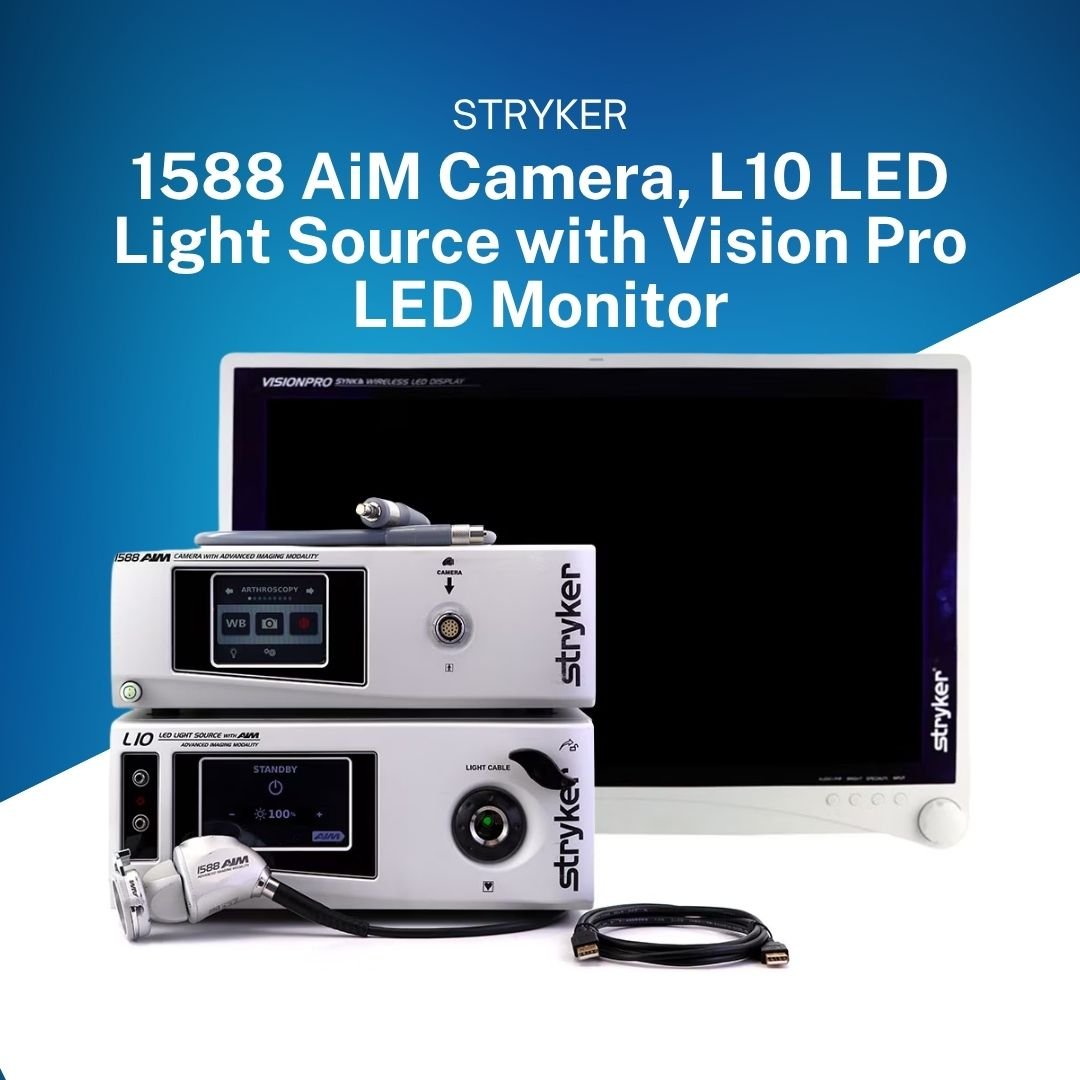
The Stryker 1588 AIM Camera System paired with the Stryker L10 LED Light Source and Stryker VisionPro LED Monitor is the most complete, high-performance HD surgical visualization bundle available for Indian operating rooms. Together, these three components form a fully integrated, advanced imaging platform — bringing ENV, IRIS, DRE, Clarity, and Desaturation modes to your laparoscopy, arthroscopy, urology, and gynecology OTs. Available as a certified pre-owned bundle from Emcult, Noida at 40–70% below new equipment price — with free installation, staff training, and AMC across all 28 Indian states.
The complete Stryker 1588 surgical visualization bundle
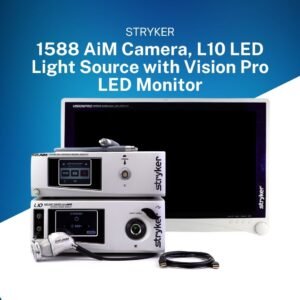
The Stryker 1588 AIM Camera System is not a single product — it is a fully integrated surgical visualization platform. Each of the three components is engineered to work together, communicating digitally to deliver the best possible image and maximize safety in the operating room. Here is what you get in the complete bundle:
|
1588 AIM Camera System (CCU) Part No. 1588010000i HD 1920×1080 CMOS 3-Chip 5 AIM Modes 9 Specialties |
L10 LED Light Source
Part No. 0220220300i LED — No bulbSafelight AIM Compatible LCD touchscreen |
VisionPro LED Monitor Part No. 0240031020i Full HD 1920×1080 High brightness1588 optimized Medical-grade |
Note: These three components are specifically designed to integrate with each other. The 1588 CCU communicates with the L10 Light Source via digital connection — enabling activation and brightness control of the L10 directly from the CCU touchscreen or camera head buttons, without touching the light source. The VisionPro monitor is calibrated for Stryker’s HD video output, ensuring accurate color reproduction at the surgical display level.
Stryker 1588 Camera System (CCU) — detailed overview
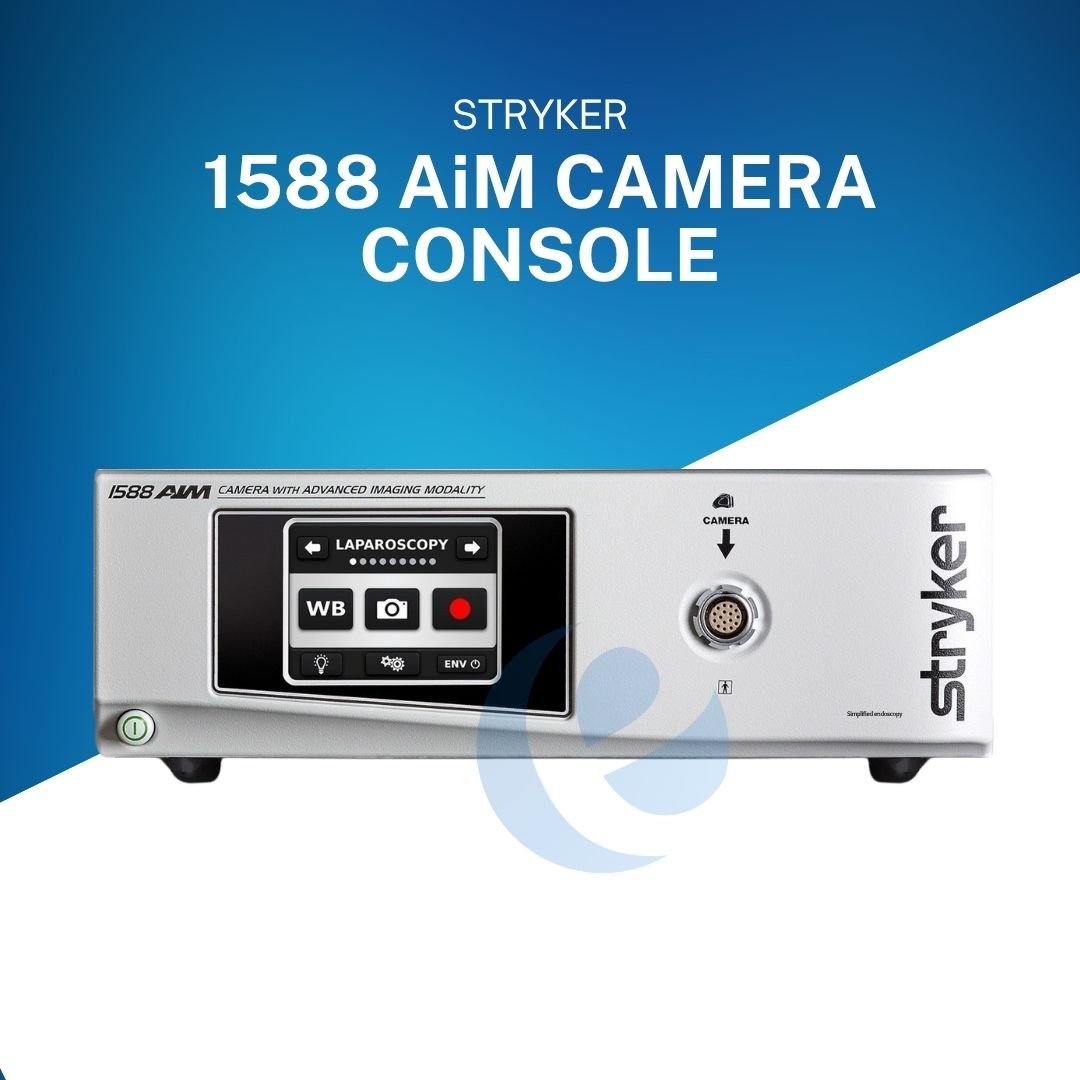
The Stryker 1588 AIM Camera System — also called the Camera Control Unit or CCU — is the brain of the entire surgical visualization platform. It receives the raw video signal from the camera head, processes it using advanced CMOS 3-Chip technology, applies the selected AIM imaging mode and specialty preset, and outputs a crisp full HD 1920×1080 image via HDMI to the VisionPro surgical monitor.
The 1588 CCU features an intuitive LCD touchscreen interface on the front panel — the surgeon and scrub nurse can change settings, switch specialty presets, activate AIM modes, and adjust brightness all from the same screen, without any complex menu navigation. The touchscreen’s large, clearly labeled buttons are designed to be used quickly between steps in a procedure.
Core technical specifications — Stryker 1588 AIM CCU
|
Resolution 1920 × 1080p Full HD |
Sensor technology
CMOS 3-Chip advanced |
Video output
HDMI HD |
|
AIM imaging modes 5 modes |
Surgical specialties
9 presets |
Camera head buttons 4 programmable |
|
Button functions 8 functions / 19 options |
Interface
LCD touchscreen |
Power supply 100–240V AC · 50/60Hz |
| IP rating (head)
IPX7 waterproof |
Sterilization
Sterrad / V-PRO only |
Part number 1588010000i |
9 surgical specialty presets — one system for every OT
One of the most powerful features of the Stryker 1588 AIM Camera System is its ability to serve all minimally invasive surgical specialties on a single platform. Selecting a specialty on the CCU touchscreen automatically loads a complete color, brightness, and image processing profile that has been tuned for that specific anatomy.
| Specialty preset | What it optimizes | Key procedures |
|---|---|---|
| Laparoscopy | Warm tissue tones, depth contrast, abdominal anatomy balance | Cholecystectomy, appendectomy, bowel resection, hernia |
| Arthroscopy | Cartilage contrast, high brightness for saline-filled joint spaces | ACL repair, rotator cuff, meniscectomy, hip arthroscopy |
| Cystoscopy | High brightness for fluid-filled bladder, posterior wall enhancement | TURBT, TURP, bladder cancer surveillance, URS |
| Hysteroscopy | Fluid cavity exposure balance, uterine wall color accuracy | Fibroid resection, polyp removal, IUD, septum |
| ENT / Skull | Fine detail in narrow lumens, sinus anatomy colors | FESS, laryngoscopy, ear surgery, skull base |
| Flexi-Scope | Flexible endoscope chip-on-tip optimization | Flexible bronchoscopy, upper GI, flexible URS |
| Laser | Laser artifact reduction, balanced exposure during energy use | Laser-assisted laparoscopy, laser urology |
| Microscope | Corrected magnification white point, fine tissue detail | Microsurgery, neuro-endoscopy, ophthalmic |
| Standard | Balanced general-purpose settings | Default non-specialty procedures |
The 5 AIM Advanced Imaging Modes — clinical superpowers
AIM stands for Advanced Imaging Modality — the set of specialized imaging modes that make the Stryker 1588 AIM Camera System dramatically more powerful than a basic HD surgical camera. These modes allow surgeons to see anatomy and tissue characteristics that are completely invisible to the naked eye or on a conventional camera.
- ENV mode: Endoscopic Near-infrared Visualisation, ICG dye injected IV makes bile ducts, lymphatics, and blood vessels glow green under near-infrared illumination from the L10 SafeLight cable. Surgeons see biliary anatomy before clipping during cholecystectomy — preventing one of surgery’s most costly complications. Cholecystectomy · Bowel perfusion · Lymph node mapping
- IRIS mode: InfraRed Illumination System, Lighted ureteral stents placed by the urologist glow through the peritoneum, showing the ureter’s full course during deep pelvic surgery. Prevents accidental ureteral transection — each injury repair costs ₹2–5 lakh and creates serious medicolegal risk. Hysterectomy · Colorectal · Urological lap surgery
- DRE mode: Dynamic Range Enhancement Selectively brightens the darker areas of the surgical image (posterior compartments, lateral gutters, deep pelvis) by up to 150% — while keeping the central bright area correctly exposed. No scope repositioning needed to see deep structures. Deep pelvis · Posterior knee · Subacromial space
- Clarity mode: Smoke & Haze Penetration: The CCU image processor cuts through surgical smoke, CO₂ bubbles, and electrosurgery haze — maintaining a sharp, clear image throughout even heavy electrosurgical cases. Reduces the need for scope withdrawal and OT delays to let smoke clear. Electrosurgery · Energy devices · Smoke-heavy cases
- Desaturation mode: Color Saturation Reduction: Reduces overly intense, saturated colors during highly vascular dissections — toning down the image to the surgeon’s preferred comfort level and reducing visual fatigue during long cases with significant bleeding.Vascular · Liver · Spleen · Highly vascular OTs
- Camera head programmability: 4 buttons · 8 functions · 19 options Surgeons can assign any of 19 functions to the 4 camera head buttons — image capture, video record, white balance, AIM mode activation, brightness, zoom, L10 control, Wingman scope holder, and more. Surgeon profiles saved on CCU and recalled instantly. All specialties · Any surgeon preference
Camera head options for the 1588 AIM system
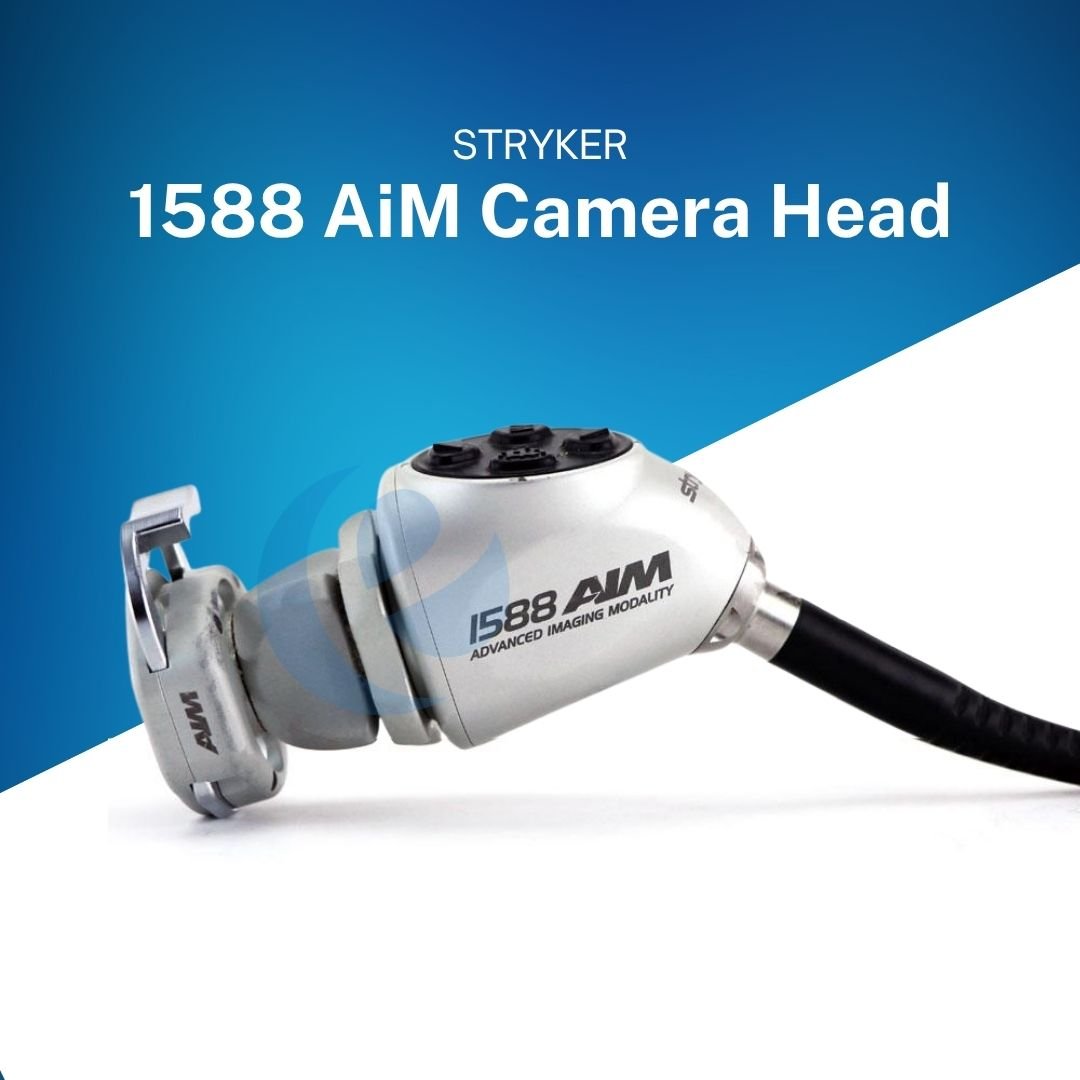
The Stryker 1588 AIM Camera System offers four different camera head configurations — each suited to different surgical specialties and workflow requirements. All heads are waterproof to IPX7, have 4 programmable buttons, and are sterilizable by Sterrad or V-PRO.
- Standard C-Mount head Part 1588210105i · Best for laparoscopy, gynecology, general surgery. Ergonomic 4-button design with balanced weight. Pairs with Ideal Eyes HD Zoom Coupler.
- Inline camera head Part 1588710105i · Low-profile for arthroscopy, ENT, ankle/wrist joint spaces. Minimizes torque on narrow scopes.
- Pendulum head (90°) Part 1588310130i · 90° angled for urological procedures, cystoscopy, and positions requiring right-angle scope access.
- Integrated camera/coupler Part 1588610122i · Coupler built in — fewer parts to sterilize, faster OT setup. Ideal for high-volume surgical lists.
Stryker L10 LED Light Source — advanced, safe illumination for the 1588 AIM system
The Stryker L10 LED Light Source (Part No. 0220220300i) is the dedicated illumination system for the Stryker 1588 AIM Camera System. It is not simply a light source — it is an active, intelligent AIM component that integrates with the 1588 CCU to enable ENV and IRIS imaging modes that are at the heart of the system’s advanced clinical capabilities.
Unlike older xenon light sources that used a replaceable bulb, the L10 uses LED technology — meaning the light output is consistent and stable throughout its entire working life. There is no bulb to replace. In Indian hospital environments where reliable bulb supply and service infrastructure can sometimes be a challenge, this is a significant operational advantage. Once installed, the L10 requires no consumable replacements and delivers consistent output every case, every day.
Safelight technology — designed for patient safety
The L10 incorporates Stryker’s Safelight technology — a patient and OR safety system built into the light source hardware. When the light cable is connected to the light source, the Safelight adapter allows the L10 to detect whether the cable tip is connected to a scope inside the patient or exposed to open air:
- Light cable disconnection detection: When the light cable is disconnected from the scope while the L10 is active, the Safelight technology automatically puts the light source into standby mode — preventing the exposed light cable tip from overheating and potentially causing drape fires or patient burns.
- Thermal safety: The L10 LED produces a significantly cooler light output than xenon at the same brightness level — reducing the risk of tissue burns at the scope tip and drape ignition from sustained light exposure.
- AIM SafeLight cable integration: The AIM SafeLight cable (Part No. 0233050300) connects the L10 to the endoscope and enables ENV near-infrared illumination for ICG-guided surgery — an additional fiber bundle within the standard white-light fiber cable.
Warning: NEVER activate the light source with the scope tip exposed to surgical drapes or flammable materials. Even LED light sources reach high temperatures at the cable tip after sustained use. Always verify the scope is inside the patient or pointed into a safe area before activating maximum brightness. Allow the light cable tip to cool for 3–5 minutes before handling after deactivation.
L10 LED Light Source — key features
- LED — no bulb replacement: Consistent output throughout working life. No consumable costs. No service calls for bulb replacement. Significant long-term ownership savings for Indian hospitals.
- Safelight patient safety system: Automatic standby when cable disconnects from scope. Cooler emission vs xenon — reduces drape fire and burn risk. Mandatory for ENV mode operation.
- LCD touchscreen interface: Simple brightness control (0–100%) on the L10’s front LCD screen. Can also be controlled remotely from the 1588 CCU touchscreen or camera head button assignment.
- 1288 & 1488 & 1588 compatible: The L10 is forward and backward compatible with Stryker’s 1288, 1488, and 1588 camera platforms — providing upgrade flexibility as your hospital’s camera system evolves over time.
Clinical tip for Indian hospitals: The L10 LED light source’s consistent, stable output means surgeons always start every case with the same light quality — no warm-up time, no gradual brightness decline over time as happens with xenon bulbs. In high-volume OT environments running 8–12 cases per day, this consistency significantly reduces image quality variation between cases.
Stryker VisionPro LED Monitor — high-brightness surgical display optimized for 1588 AIM
The Stryker VisionPro LED Monitor (Part No. 0240031020i) completes the Stryker 1588 AIM Camera System bundle as the high-performance surgical display that shows the surgeon the processed HD image from the CCU. The VisionPro is not a standard commercial TV or desktop monitor — it is a medical-grade, high-brightness surgical display specifically designed for use in the high-ambient-light environment of an operating room.
Operating rooms in India — particularly those with overhead shadowless lights — have significantly higher ambient light levels than most environments where monitors are used. A standard display would appear washed out and difficult to see clearly under these conditions. The VisionPro’s high-brightness LED panel is designed to produce a crisp, visible image even under direct overhead OR illumination — so the surgeon can see all the fine anatomical details the 1588 AIM CCU and camera head are capturing, without squinting or struggling against glare.
VisionPro LED Monitor — key specifications and features
|
Resolution 1920 × 1080 Full HD |
Panel type
High-brightness LED |
Display size
26-inch diagonal |
|
Video input HDMI + DVI |
Designed for
1288 · 1488 · 1588 AIM |
Environment Medical-grade surgical use |
| Mounting
VESA compatible |
Ambient light
High-brightness OR rated |
Part number 0240031020i |
Why surgical monitors matter — and why VisionPro is the right choice
Many Indian hospitals make the mistake of purchasing a consumer television or standard commercial monitor for their laparoscopy tower — reasoning that any Full HD screen will do the same job as a purpose-built surgical monitor. This creates several serious clinical problems:
- Brightness: Consumer TVs are not bright enough for OR lighting conditions — surgeons struggle to see clearly under overhead surgical lights.
- Color accuracy: Consumer displays are tuned for entertainment content (warmer, more saturated colors) rather than surgical tissue color accuracy. Incorrect color rendering can affect the surgeon’s ability to identify normal vs abnormal tissue.
- Video latency: Consumer TVs often have processing delays that create a lag between the camera head movement and the screen update — disorienting for precision surgical work.
- Durability: Consumer displays are not rated for the cleaning, disinfection, and humidity of the OR environment — they fail prematurely and create infection control risks.
The VisionPro LED Monitor solves all of these problems. It is specifically calibrated to reproduce the color output of the Stryker 1588 AIM Camera System accurately, has zero perceptible latency, and is housed in an enclosure rated for hospital disinfection routines.
Tip: For the best clinical experience with the Stryker 1588 AIM system, position the VisionPro monitor at surgeon eye level directly opposite the operative site — typically mounted on a ceiling arm or surgical tower at the head of the bed. Correct monitor positioning reduces neck strain during long cases and improves surgical precision by keeping the surgeon’s gaze aligned with their hand movements.
How the 1588 AIM, L10, and VisionPro work together — step-by-step integration guide
Understanding how these three components integrate helps OR nurses and biomedical engineers set up and operate the complete Stryker 1588 AIM Camera System bundle correctly every time.
- Power-on sequence
-
Always power on in this order: VisionPro Monitor first → 1588 CCU second → L10 LED Light Source third. This sequence ensures the video signal is detected correctly at boot and prevents sync errors on the display.
Reviews
There are no reviews yet.